What Is Digital Process Automation? Features, Benefits, and Examples

On This Page
- What Is Digital Process Automation?
- What Features Should a DPA Platform Have?
- What Are the Benefits of Digital Process Automation?
- What Are Examples of Digital Process Automation?
- What Are the Best Practices for Digital Process Automation?
- Is Digital Process Automation Right for Your Business?
- Frequently Asked Questions
Digital process automation (DPA) is the use of software to automate entire business workflows from start to finish, connecting the apps, data, and people involved. Unlike robotic process automation, which copies single repetitive tasks, DPA redesigns the whole process, such as loan approval or employee onboarding, and often adds AI to route work and support decisions.
This guide explains what digital process automation is, how it differs from RPA, the eight features to look for in a DPA platform, ten benefits, six industry examples, and eight best practices for putting it in place without disrupting your operations.
What Is Digital Process Automation?
Digital process automation is the use of digital technology to automate end-to-end business processes. Instead of fixing one task at a time, DPA looks at the whole workflow and connects the systems and people in it so work moves from step to step without manual handoffs.
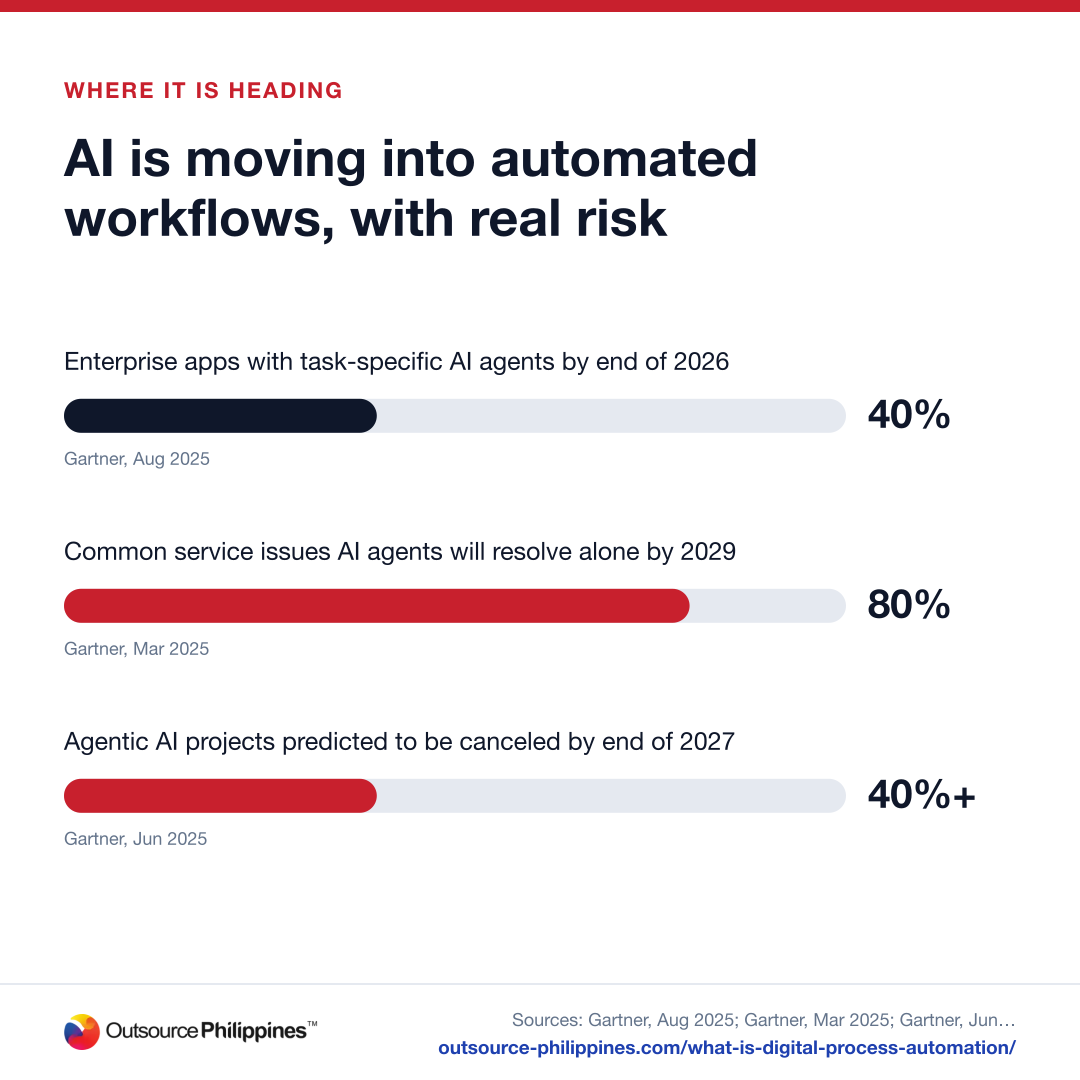
- 40%Enterprise apps with task-specific AI agents by end of 2026Gartner, Aug 2025
- 80%Common service issues AI agents will resolve alone by 2029Gartner, Mar 2025
- 40%+Agentic AI projects predicted to be canceled by end of 2027Gartner, Jun 2025
A typical DPA workflow pulls data from one system, applies business rules, sends tasks to the right person for review and updates every connected application when the work is done. Many platforms now add artificial intelligence (AI), machine learning (ML) and natural language processing (NLP) to read documents, predict outcomes, and route exceptions. That shift is moving fast: Gartner predicts that up to 40% of enterprise applications will include task-specific AI agents by the end of 2026, up from less than 5% in 2025.
How Is DPA Different from Robotic Process Automation (RPA)?
Both aim to automate business processes, but they differ in scope. RPA works at the level of a single screen or task, while DPA works at the level of the whole process and the people in it:
| RPA (robotic process automation) | DPA (digital process automation) |
|---|---|
| Automates individual, repetitive tasks usually done by people | Automates entire workflows across multiple systems |
| Uses software bots to copy human actions, such as data entry or transaction processing | Works best for processes with decisions and data exchange between departments |
| Suited to rule-based tasks without complex decisions | Can use AI and ML to adapt and improve processes over time |
In practice, the two often work together: RPA bots handle individual steps inside a larger workflow that DPA orchestrates, and automation in outsourcing puts both alongside human teams.
What Features Should a DPA Platform Have?
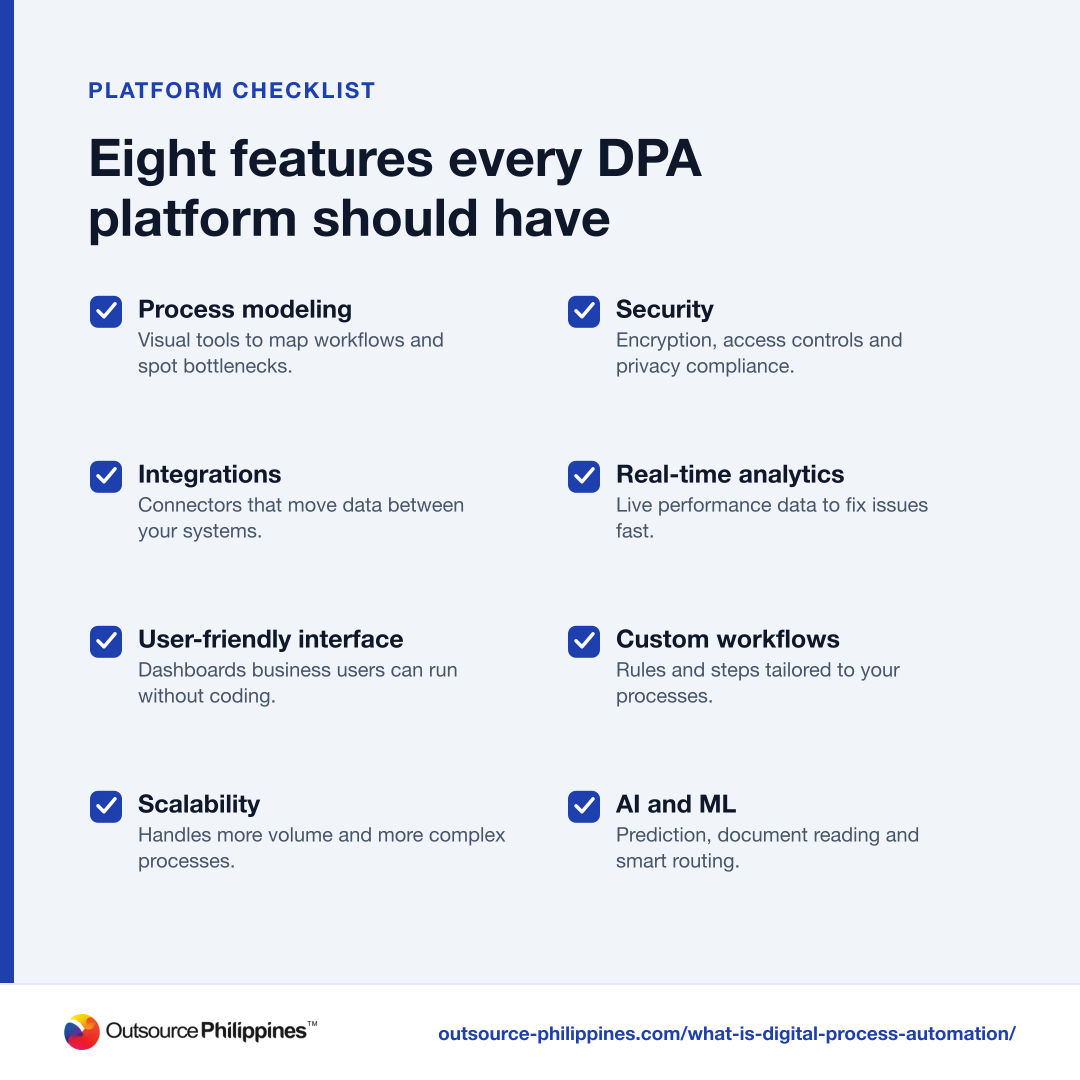
A strong DPA platform lets business users design, run, and improve workflows without heavy coding. Look for these eight features.
- Process modeling
Visual tools to map workflows and spot bottlenecks.
- Integrations
Connectors that move data between your systems.
- User-friendly interface
Dashboards business users can run without coding.
- Scalability
Handles more volume and more complex processes.
- Security
Encryption, access controls and privacy compliance.
- Real-time analytics
Live performance data to fix issues fast.
- Custom workflows
Rules and steps tailored to your processes.
- AI and ML
Prediction, document reading and smart routing.
- Process modeling: visual tools to map and design workflows, which makes bottlenecks easier to spot.
- Integration capabilities: connectors to your enterprise systems and apps so data flows without silos.
- User-friendly interfaces: dashboards that let business users monitor and change workflows without deep technical skills.
- Scalability: capacity to handle more volume and more complex processes as you grow.
- Security: encryption, access controls, and support for data protection rules.
- Real-time analytics: live performance data so you can fix issues quickly.
- Customizable workflows: rules and steps you can tailor to your own processes.
- AI and ML integration: prediction, document reading, and smarter routing of work.
What Are the Benefits of Digital Process Automation?
DPA saves time and money by removing manual handoffs, and it makes processes easier to measure and improve. These are the ten main benefits:
- Improved efficiency: repetitive work takes less time, freeing staff for higher-value tasks.
- Reduced operational costs: fewer manual steps and errors mean less labor and waste.
- Enhanced productivity: faster turnaround and better use of resources.
- Better customer experience: consistent, accurate handling of every request.
- Increased agility: processes adapt and scale as demand changes.
- Improved compliance: built-in rules keep steps in line with regulations.
- Higher quality: less human error in routine steps.
- Enhanced collaboration: connected systems help departments share work and information.
- Data-driven insights: real-time analytics show where processes slow down.
- Continuous improvement: ongoing monitoring lets you refine processes over time.
Benefits depend on execution, though. Gartner predicts that over 40% of agentic AI projects will be canceled by the end of 2027 because of rising costs, unclear business value, or weak risk controls. Automation projects that start with a measured business problem, a named owner, and a realistic budget tend to avoid that fate. Track a baseline for cycle time, error rate, and cost per transaction before launch so you can prove the gain afterward.
What Are Examples of Digital Process Automation?
DPA works in any industry with multi-step, rules-based processes. Here are six common examples, each built around a workflow that crosses several systems and teams.
Financial Services
Banks and lenders automate loan processing from application to final decision, connecting credit scoring and document verification to cut processing time and errors.
Human Resources
HR teams automate employee onboarding, payroll processing, and performance management, including document collection, benefits enrollment, and compliance reporting.
Healthcare
Providers automate patient onboarding by collecting and verifying patient information, insurance details, and medical histories, which lowers administrative work and keeps data accurate.
Retail
Retailers automate inventory management: systems monitor stock in real time, trigger reorder points, and manage supplier orders to avoid stockouts and overstock.
Manufacturing
Manufacturers automate production workflows, quality control, and maintenance schedules, reducing defects and equipment downtime.
Customer Service
Support teams use automated responses and chatbots for routine questions so human agents can focus on complex issues. Gartner predicts that by 2029, agentic AI will resolve 80% of common customer service issues without human help. Unlike scripted chatbots, AI agents can act on their own to complete a task.
What Are the Best Practices for Digital Process Automation?
Start small, measure everything, and keep people involved. These eight practices make DPA projects succeed:
- Select the right tools: choose a platform that fits your needs and integrates with your existing systems.
- Involve key stakeholders: bring in the departments and staff who run the process to secure buy-in.
- Define clear objectives: set specific, measurable goals tied to business outcomes.
- Start small and scale: pilot one process, prove results, then expand.
- Monitor and optimize continuously: review automated processes regularly and adjust.
- Prioritize security: protect data at every stage of the automation lifecycle.
- Focus on user experience: design workflows that are easy for everyone to use.
- Provide training and support: train employees on new systems and keep helping after launch.
Is Digital Process Automation Right for Your Business?
DPA fits companies with high-volume, multi-step processes that cross several systems, such as order handling, onboarding, or invoice approval. It fits less well when a process changes constantly or is not documented yet; map and stabilize the process first. Most automated workflows still need people to handle exceptions, check quality, and keep the rules current, so plan staffing for those roles from the start rather than after launch.
Outsource Philippines™ provides AI operations support with dedicated agents who handle exceptions, reviews, and data checks alongside a client's automation, and back office outsourcing teams for the data entry, bookkeeping, and payroll work that stays manual.
Frequently Asked Questions
What Is the Difference between DPA and BPM?
Business process management (BPM) is the broader discipline of modeling, measuring, and improving business processes. Digital process automation is one way to put BPM into practice, using software to automate those processes from start to finish. Many DPA platforms grew out of BPM tools and add low-code design, integrations, and AI on top.
Is DPA the Same as RPA?
No. Robotic process automation uses software bots to copy single, repetitive tasks, such as copying data between screens. Digital process automation covers entire workflows across several systems and people, including decisions and approvals. The two often work together, with RPA bots handling individual steps inside a larger workflow managed by DPA.
Which Processes Should You Automate First?
Start with processes that are high in volume, rule-based, well documented, and measurable, such as invoice processing, order handling, or employee onboarding. Avoid processes that change often or depend on judgment calls. Pick one process for a pilot, set a clear baseline for time and errors, and expand once results hold.
Does Digital Process Automation Replace Employees?
DPA usually changes jobs more than it removes them. It takes over repetitive steps, while people still handle exceptions, quality checks, customer conversations, and process improvement. Companies that plan for this shift retrain staff for higher-value work, and many use outsourced teams to manage the human side of automated workflows.