How Does Offshore Back Office Support Work?

On This Page
- What Is Offshore Back Office Support?
- How Does Offshore Back Office Support Work, Step by Step?
- What Does a Typical Day Look Like?
- Who Does What between You and the Provider?
- How Are Access and Data Kept Secure?
- How Is Quality Measured and Reported?
- What Are the Common Challenges, and How Are They Handled?
- How Do You Make Offshore Back Office Support Succeed?
- Is Offshore Back Office Support Right for Your Business?
- Frequently Asked Questions
Offshore back office support works by giving a dedicated team in another country secure access to your systems so it can run documented, behind-the-scenes work such as bookkeeping, payroll processing, and data entry. The team works set shifts, follows your procedures, hands work off through shared tools, and reports daily against agreed targets, while you keep final sign-off.
This guide focuses on the mechanics: how an offshore back office arrangement is set up, what a working day looks like across US and Philippine time zones, who does what, how access and data are controlled, and how quality is measured and reported. If you are still deciding whether to outsource back office work at all, start with our guide to outsourcing back office operations, which covers the benefits and which functions to move first.
What Is Offshore Back Office Support?
Offshore back office support is internal, non-customer-facing work performed by a provider’s team in another country on your behalf. The work keeps the business running even though customers never see it.
Common back office functions include:
- Data entry and data processing
- Bookkeeping and accounting
- Payroll processing
- Accounts payable and invoice processing
- Order, document, and records processing
- Reporting and administrative support
The provider supplies the people, workstations, network, and supervision. You supply the processes, system access, and priorities. The Philippines is a common destination because of its large, English-speaking services workforce.
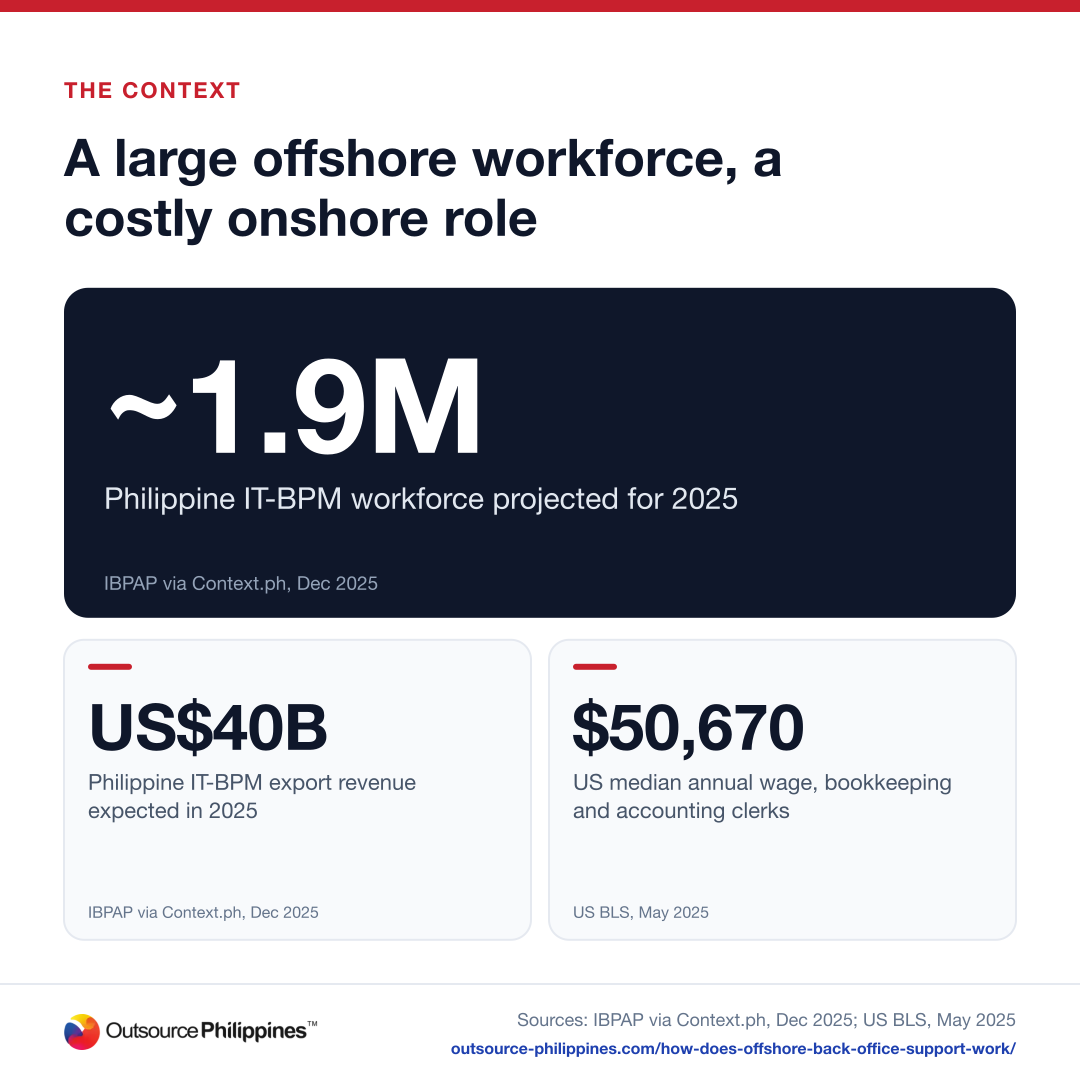
- ~1.9MPhilippine IT-BPM workforce projected for 2025IBPAP via Context.ph, Dec 2025
- US$40BPhilippine IT-BPM export revenue expected in 2025IBPAP via Context.ph, Dec 2025
- $50,670US median annual wage, bookkeeping and accounting clerksUS BLS, May 2025
IBPAP projected the Philippine IT and business process management industry would employ about 1.9 million people and earn about US$40 billion in export revenue in 2025, according to Context.ph. On the US side, the US Bureau of Labor Statistics puts the median annual wage for bookkeeping, accounting, and auditing clerks at $50,670 (May 2025), before benefits and overhead.
How Does Offshore Back Office Support Work, Step by Step?
Setting up offshore back office support follows seven steps, from choosing the work to running it long term. Most of the effort sits in the first three.
Step 1: Identify the Business Needs
Pick tasks that are repetitive, process-driven, high in volume but low in strategic judgment, and possible to document. Invoice processing that eats your accountant’s week is a classic candidate.
Step 2: Choose the Right Offshore Partner
Evaluate location, expertise in the specific function, infrastructure and security, ability to scale, and track record. Ask for a written proposal and, where possible, start with a small pilot.
Step 3: Define Scope, Processes, and Expectations
Write a scope of work, map each process step by step, set service levels for turnaround, accuracy, and quality, and agree on who owns what on both sides.
Step 4: Build the Offshore Team
The provider recruits and screens people against your role profile, trains them on your processes and tools, and sets up dedicated workstations.
Step 5: Set Up Systems and Technology
The team gets secure access to your ERP, accounting, CRM, or HR systems, plus shared storage and chat channels, with access limited to what each role needs.
Step 6: Onboard and Transition
The team shadows your current process, then performs tasks under close review, with fast feedback loops until accuracy is consistent and they can work independently.
Step 7: Run Ongoing Operations and Performance Management
Regular reviews track KPIs and service levels, processes are refined over time, and the team scales up or down with seasonal demand.
With Outsource Philippines™, most teams go live in 2 to 4 weeks, depending on the role.
What Does a Typical Day Look Like?
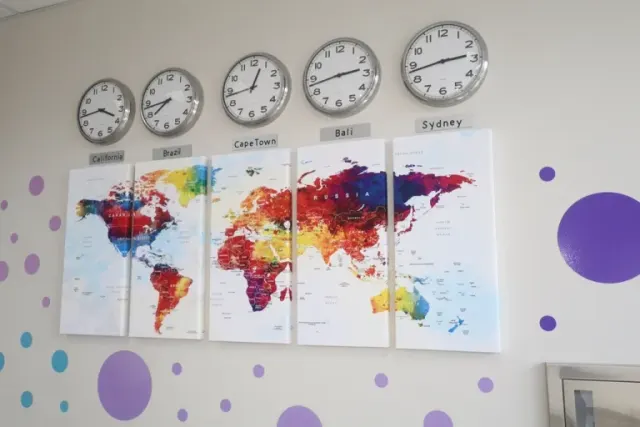
A typical day runs as a relay: your team leaves instructions, the offshore team works through the queue during your evening or business hours, and a report is waiting when you check in. Manila is 12 to 13 hours ahead of New York, so the schedule is planned around that gap.
| Time (US Eastern) | What happens |
|---|---|
| Start of the offshore shift | The team logs in through secure access, reads overnight notes from your staff, and confirms the day’s priorities. |
| Overlap hours | Quick questions go to your point of contact in a shared channel; anything urgent is escalated by a set rule. |
| Main working block | The team processes the queue, such as invoices, data entries, payroll inputs, or reconciliations, following your SOPs. |
| Quality check | A team lead samples completed work against your accuracy standard and fixes errors before hand-off. |
| End of shift | An end-of-day report lists volume completed, errors found, items pending, and questions for your team. |
Take a US company that needs its customer database updated around the clock. The offshore data entry team logs into the CRM through a secure connection, processes records from emails, web forms, and scanned documents during its shift, raises questions in Microsoft Teams or Slack, and sends a daily report on volume, errors, and pending items. The company gets continuous offshore data entry coverage without running its own night shift.
Who Does What between You and the Provider?
You own the process, the priorities, and final sign-off. The provider owns the people, the workplace, and day-to-day supervision.
| Area | Your team | Offshore provider |
|---|---|---|
| Processes and SOPs | Defines and updates them | Follows them and flags gaps |
| Recruiting and training | Shares the role profile and process training | Recruits, screens, and trains staff |
| Daily priorities | Sets them | Executes against them |
| Supervision and quality checks | Reviews reports and samples work | Supervises staff and runs quality checks |
| Systems access | Grants and revokes access | Secures workstations and network |
| Final sign-off | Signs off payments, filings, and reports | Prepares the work for sign-off |
How Are Access and Data Kept Secure?
Security comes from limiting access, controlling the workplace, and following data privacy law. The offshore team should only ever see what its tasks require.
- Named, least-privilege accounts: each person gets their own login with access only to the systems and records their role needs.
- Secure connections: work happens through VPNs or your cloud apps, with multi-factor authentication.
- Controlled workstations: no personal devices, restricted downloads, and monitored activity.
- Privacy law: Philippine providers must comply with the Data Privacy Act of 2012, alongside any US rules that apply to your data.
Outsource Philippines™ secures client work with a managed firewall and WorQmate, its in-house project, and employee monitoring platform. You can see how those controls work on our security page.
How Is Quality Measured and Reported?
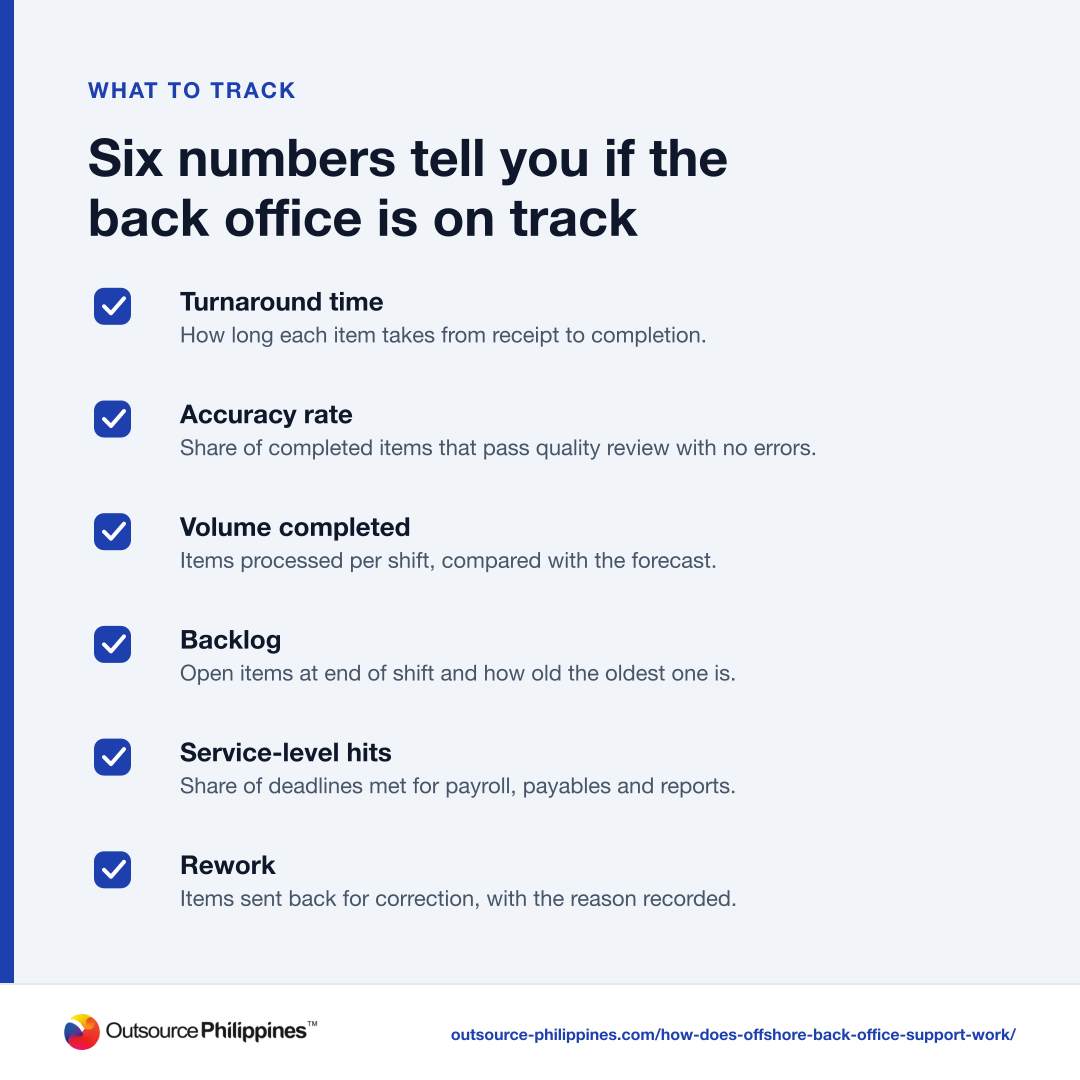
Quality is measured against a short list of agreed KPIs and reported on a fixed rhythm: daily for volume, weekly for trends, and monthly for a full review.
- Turnaround time
How long each item takes from receipt to completion.
- Accuracy rate
Share of completed items that pass quality review with no errors.
- Volume completed
Items processed per shift, compared with the forecast.
- Backlog
Open items at end of shift and how old the oldest one is.
- Service-level hits
Share of deadlines met for payroll, payables and reports.
- Rework
Items sent back for correction, with the reason recorded.
Agree on the targets in writing before go-live and keep the list short. A weekly call to review the numbers, with the team lead and your process owner, catches drift early. Monthly reviews are the place to change scope, add volume, or adjust staffing.
What Are the Common Challenges, and How Are They Handled?
The common challenges are communication across time zones, data security, differences in work style, and keeping quality high as volume grows. Each has a standard fix.
| Challenge | How good providers handle it |
|---|---|
| Communication across time zones | A named point of contact, a daily overlap window, and written hand-off notes |
| Data security concerns | Least-privilege access, monitored workstations, and privacy law compliance |
| Differences in work style | Clear SOPs, examples of finished work, and cultural orientation on both sides |
| Quality as volume grows | Quality sampling, error tracking, and staffing reviewed against volume |
How Do You Make Offshore Back Office Support Succeed?
Start small, document everything, and manage by agreed numbers. These six practices make the biggest difference:
- Start small: move one or two functions first, then scale once quality holds.
- Document everything thoroughly: SOPs, checklists, and examples reduce errors and speed up training.
- Set clear KPIs and expectations: agree targets for quality, turnaround, and productivity up front.
- Keep communication open and regular: scheduled check-ins and one shared channel keep both sides aligned.
- Choose a provider with strong cultural alignment: shared work habits make collaboration smoother.
- Invest in training and the relationship: ongoing training and recognition keep the team engaged and improve long-term results.
Is Offshore Back Office Support Right for Your Business?
It is a good fit if you have steady, documented back office work, systems your team already uses in the cloud and someone in-house who can own the process and sign off on the output. It is a weaker fit if the work is mostly one-off, undocumented, or dependent on in-person access to paper files.
Explore our back office outsourcing services to see which functions a dedicated team can take on. When you are ready, request a proposal; pricing is an hourly rate per agent, set out in writing.
Frequently Asked Questions
What Types of Businesses Benefit Most from Offshore Back Office Support?
Small and mid-sized businesses benefit most when they have growing, repetitive back office work but cannot justify more in-house hires. Professional services firms, ecommerce companies, healthcare practices, and real estate businesses often fit well, because they generate steady volumes of data entry, bookkeeping, payroll, and document processing that follow clear rules.
How Long Does It Take to Set Up an Offshore Back Office Team?
With Outsource Philippines™, most teams go live in 2 to 4 weeks, depending on the role. That time covers recruiting and screening, training on your processes and systems, and a supervised start. Complex functions with many systems or unusual rules may need a longer ramp-up before the team works at full volume.
How Do I Communicate with an Offshore Back Office Team Day to Day?
Most clients use a shared chat channel for quick questions, a project or ticketing tool for the work queue and a short weekly video call to review KPIs. A named team lead on the provider side and a process owner on yours keep hand-offs clear, and an end-of-day report means you rarely need to chase status.
Are There Hidden Costs When Working with Offshore Providers?
Ask about anything outside the core rate, such as software licenses, overtime, holiday coverage, and equipment. Outsource Philippines™ prices teams as an hourly rate per agent in a written proposal, so you can see the full cost before you start. Outsource Philippines™ estimates most US clients pay 60% to 70% less than an equivalent in-house hire.
What Happens If I Need to End the Outsourcing Agreement?
Most agreements include a termination clause covering notice periods and a handover. Before signing, confirm how documentation, files, and system access are returned, and make sure your SOPs live in your own systems. That way an exit, or a move back in-house, does not leave gaps in your back office work.